
How to Convert PDF to Word Online for Free in 2026
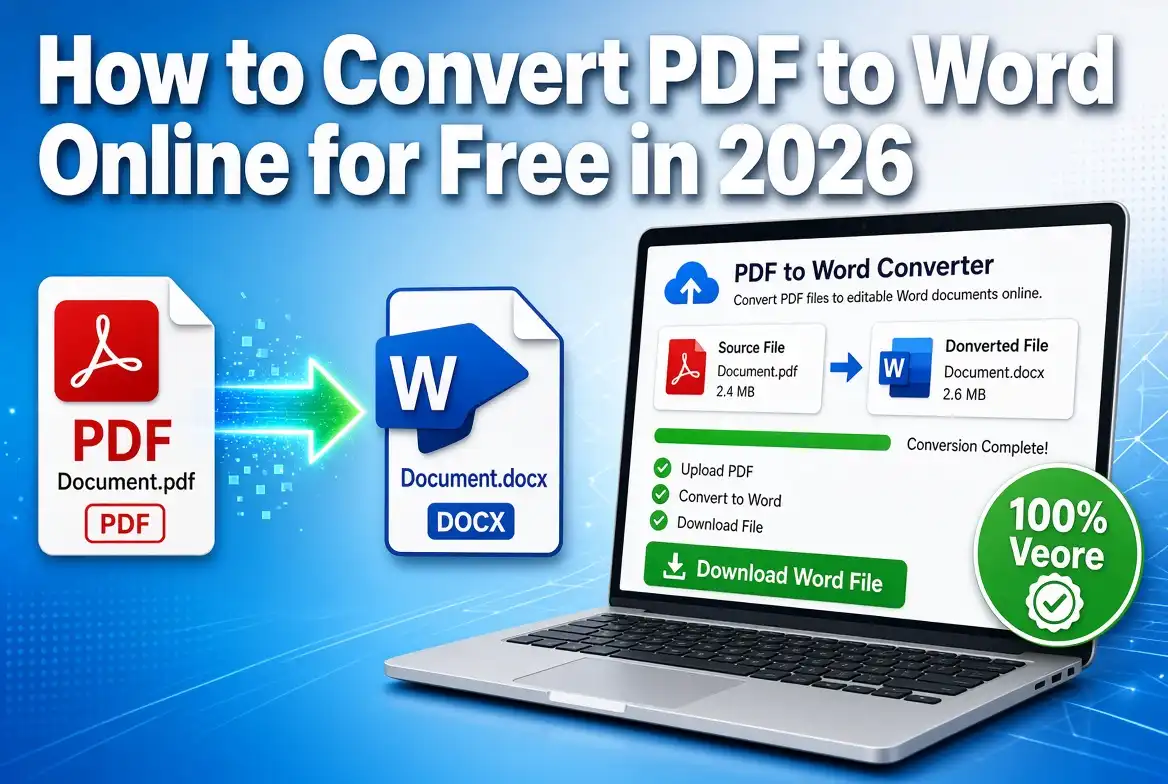
To convert a PDF to Word, upload your PDF to an online PDF to Word converter, select the conversion option, click Convert, and download the resulting DOCX file. You can then open the Word document in Microsoft Word, Google Docs, or another compatible word processor and edit the content.
PDF files are excellent for sharing and preserving document formatting, but editing them can be difficult. If you need to change text, update information, reuse content, or collaborate with someone, converting the PDF to Word is often the easiest solution.
The good news is that you do not need complicated software to convert PDF to Word. A browser-based PDF converter lets you turn a PDF into an editable Word document in just a few steps.
How to Convert PDF to Word Online
The quickest way to convert a PDF into an editable Word document is to use an online PDF to Word converter. Follow these steps:
- Open the PDF to Word converter. Go to the SmartPDFNow PDF to Word Converter in your web browser.
- Upload your PDF file. Select the PDF from your computer, phone, or tablet.
- Start the conversion. Click the Convert button to begin converting the PDF into a Word document.
- Wait for the conversion to finish. The tool processes the PDF and prepares the editable document.
- Download the Word file. Download the converted DOCX file to your device.
- Open and edit the document. Open the DOCX file with Microsoft Word, Google Docs, LibreOffice, or another compatible application.
Convert PDF to Word Online
Turn your PDF into an editable Word document directly from your browser. No complicated installation is required.
Convert PDF to WordWhat Is a PDF to Word Converter?
A PDF to Word converter is an online or desktop tool that changes a PDF file into an editable Microsoft Word document. Most modern converters create a DOCX file, which is the standard document format used by current versions of Microsoft Word.
Instead of manually recreating a document, you can upload the existing PDF and let the converter extract its text and other content. Depending on the original PDF, the conversion may preserve text, images, tables, headings, spacing, and other formatting.
Why Convert PDF to Word?
Converting PDF files to Word is useful whenever you need to edit or reuse information contained in a PDF. A Word document is easier to modify than a standard PDF in many situations.
Can You Convert PDF to Word for Free?
Yes. You can convert many PDF files to Word for free using an online PDF converter. Free conversion tools are particularly useful when you only need to convert documents occasionally and do not want to install specialized software.
Some services may place limits on file size, daily conversions, processing speed, or advanced features. Before converting an important document, check the converter's available features and file-processing policies.
Can You Convert a Scanned PDF to Word?
Yes, but scanned PDFs usually require OCR (Optical Character Recognition). A normal PDF converter can extract selectable text from a text-based PDF, while OCR is designed to recognize text that appears inside scanned images.
OCR can be useful for scanned contracts, printed forms, receipts, certificates, books, notes, and older documents.
How to Convert a Scanned PDF to Word
- Open a PDF converter that supports OCR.
- Upload your scanned PDF.
- Select the OCR option if it is available.
- Start the PDF to Word conversion.
- Download the resulting DOCX file.
- Review the converted text and correct any OCR errors.
How to Convert PDF to Word Without Installing Software
An online PDF to Word converter can be used directly from a web browser, so you do not necessarily need to install a desktop application. This is convenient when you are using a shared computer or working from a mobile device.
Simply open the converter, upload your PDF, convert it to DOCX, and download the finished Word document.
Convert PDF to Word on Windows and Mac
Windows and Mac users can convert PDF files to Word through a browser-based converter. The basic process is the same regardless of which desktop operating system you use.
Upload the PDF, start the conversion, and download the DOCX file. Once downloaded, you can open the document in Microsoft Word or another compatible application.
Convert PDF to Word on iPhone and Android
You can also convert PDF files to Word from many smartphones and tablets. A browser-based converter allows you to upload a document stored on your device and download the converted Word file when processing is complete.
This is useful when you receive a PDF by email or messaging app and need to edit it without access to your computer.
Will PDF Formatting Stay the Same in Word?
A PDF to Word converter attempts to preserve the original document's formatting, but the result may not be identical to the PDF. Simple text-based documents generally convert more accurately than PDFs containing complicated layouts.
Tables, multiple columns, unusual fonts, graphics, forms, headers, footers, and scanned pages can sometimes require additional editing after conversion.
How to Get Better PDF to Word Conversion Results
The quality of your converted Word document depends partly on the original PDF. These simple practices can help:
- Use the original PDF instead of a screenshot whenever possible.
- Use clear, high-resolution scans when converting scanned documents.
- Make sure the PDF is not damaged or corrupted.
- Use OCR when the PDF contains scanned text.
- Check tables and images after conversion.
- Review spelling and formatting before using the final document.
PDF to Word vs. Copy and Paste
Copying text directly from a PDF into Microsoft Word may work for short and simple documents, but it can create formatting problems. Paragraphs may move, tables may break, and images may be misplaced.
Converting the entire PDF to Word can be more convenient when you need to work with a complete document. Instead of copying individual sections, you can create a DOCX file and edit it as a single document.
What Is the Difference Between PDF and Word?
PDF is primarily designed to preserve the appearance of a document across different devices and applications. Word documents, on the other hand, are designed for creating and editing content.
If you need to make frequent changes to a document, a Word file is often more convenient. If you need to share a finished document while maintaining its layout, PDF is often preferable.
Frequently Asked Questions
How do I convert PDF to Word?
Upload your PDF to an online PDF to Word converter, click Convert, and download the resulting DOCX file. You can then open and edit the document in Microsoft Word or another compatible application.
What is the easiest way to convert PDF to Word?
The easiest method is to use an online PDF to Word converter. Upload the PDF, start the conversion, and download the editable Word document when processing is complete.
Can I convert PDF to Word online for free?
Yes. Many online PDF to Word converters offer free conversion. The available file size, conversion limits, and advanced features can vary between services.
Can I convert PDF to an editable Word document?
Yes. A PDF can be converted into an editable DOCX document. Conversion quality depends on the structure, formatting, and quality of the original PDF.
Can I convert a scanned PDF into Word?
Yes. Scanned PDFs can be converted using OCR technology. OCR recognizes text in scanned pages and turns it into editable text, although the result should be checked for errors.
What format does PDF convert to in Word?
Most PDF to Word converters create a DOCX file. DOCX is the standard Microsoft Word document format used by modern versions of Word.
Can I convert PDF to Word on my phone?
Yes. You can use a browser-based PDF to Word converter on compatible iPhone and Android devices. Upload the PDF, convert it, and download the DOCX file.
Does converting PDF to Word preserve formatting?
PDF to Word conversion can preserve much of the original formatting, but complex layouts may require manual adjustments. Always check the converted document before using it as a final copy.
Convert PDF to Word Online With SmartPDFNow
If you need an editable version of a PDF, converting it to Word is a simple way to make the document easier to modify, reuse, and share. With an online converter, you can complete the process directly from your browser without manually recreating the document.
SmartPDFNow provides a simple way to convert PDF files into Word documents. Upload your PDF, start the conversion, and download the resulting file when it is ready.
Convert Your PDF to Word
Turn your PDF into an editable Word document online with SmartPDFNow.
Convert PDF to Word Online
Discussion (0)
No comments yet. Be the first to share your thoughts!