
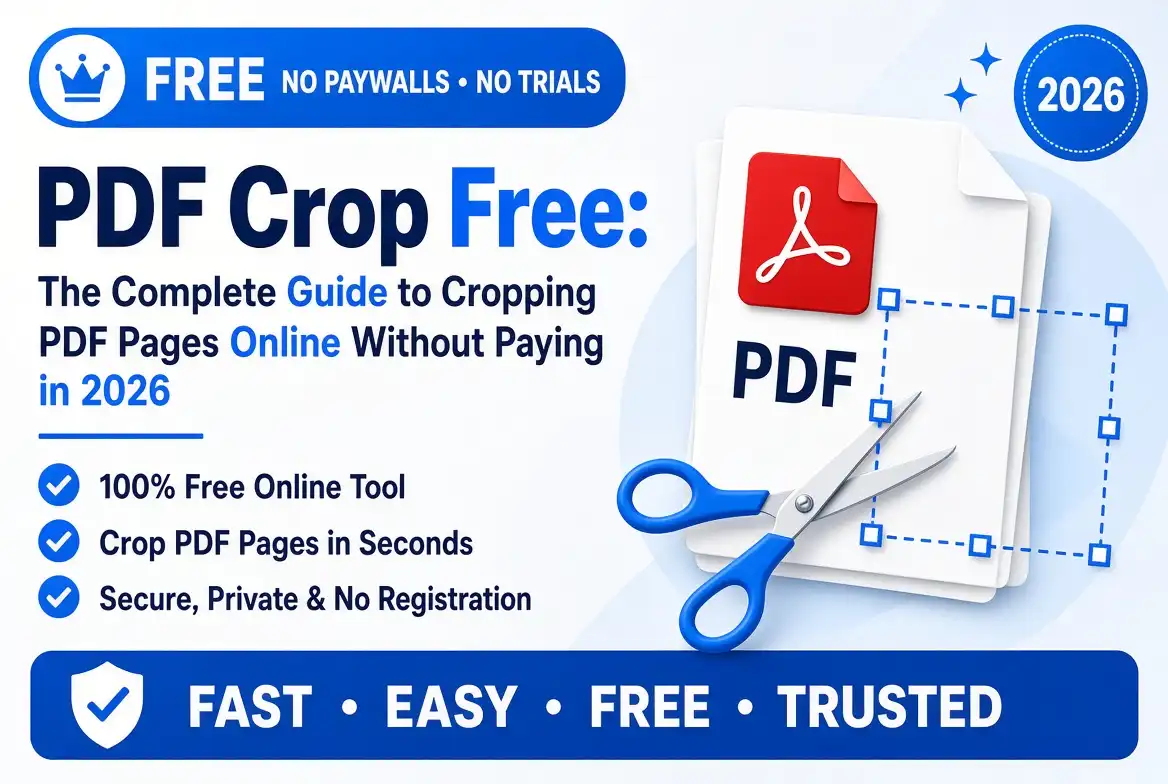
PDF Crop Free: The Complete Guide to Cropping PDF Pages Online Without Paying in 2026
📄 Need to crop a PDF without paying for expensive software? You are in the right place. A PDF can look perfectly fine at first glance, yet a closer look may reveal huge white margins, scanner borders, unnecessary blank areas, or content that sits awkwardly on the page.
Fortunately, you do not always need complicated desktop software to fix these problems. With a modern PDF crop free tool, you can quickly adjust PDF pages, remove unwanted margins, and create cleaner documents directly from your browser. 🚀
PDF files are everywhere. Students use them for assignments and lecture notes. Businesses use them for invoices, reports, contracts, and presentations. Freelancers send portfolios and proposals as PDFs. Even everyday users rely on PDFs for receipts, forms, certificates, and scanned documents.
The problem? PDFs are designed primarily for consistent document presentation, not effortless editing. Once a document has been exported or scanned, you may discover that the page contains far more empty space than necessary.
That is where free PDF cropping becomes useful. In this guide, we will explore what PDF cropping means, how it works, how to crop PDFs on different devices, how to avoid common mistakes, and how to get professional-looking results. 🛠️
1. What Does “PDF Crop Free” Actually Mean?
The phrase PDF crop free generally refers to cropping PDF pages without paying for premium editing software or a subscription. Instead of purchasing a full PDF editor just to remove a few unwanted margins, you can use an online PDF cropping tool.
Think of cropping a PDF like trimming the edges of a photograph. 📸 You are changing the visible boundaries of the page so that the important content occupies more of the available space.
However, there is an important distinction between cropping and deleting. Cropping changes the page's visible area. It does not necessarily mean that the underlying PDF objects are permanently erased.
💡 Simple explanation: Cropping is like changing the frame around a picture. Deleting content is like removing part of the picture itself.
2. Why Would You Need to Crop a PDF?
There are many reasons to crop PDF pages. Sometimes the issue is cosmetic; sometimes it affects usability. Either way, a poorly framed PDF can make an otherwise professional document look unfinished.
Remove Unnecessary White Space
Large empty borders can make a document look strangely formatted. Cropping can bring the visible page boundaries closer to the actual content.
Improve Document Presentation
Imagine sending a client a proposal where every page has enormous blank margins. It can feel like the document was exported incorrectly. A cleaner crop can create a much more polished appearance. ✨
Prepare Documents for Printing
When page dimensions are inappropriate for your printer or paper size, cropping can help you prepare a better layout.
Make PDFs Easier to Read on Mobile Devices
Wide pages with huge margins can be annoying on smartphones. Reducing unnecessary space can make the actual content easier to view.
Focus on Important Content
If a PDF contains a large page but only a small section matters, cropping can help place that section front and center.
3. Common PDF Cropping Problems Users Face
PDF cropping sounds simple, but poorly prepared documents can introduce a few challenges. 😅
- 📏 Oversized margins around the document.
- 🖨️ Scanner borders surrounding scanned pages.
- 📄 Different page sizes inside the same PDF.
- ⬜ Excessive blank space.
- 🔄 Mixed portrait and landscape pages.
- ✂️ Content positioned dangerously close to the edges.
- 📑 Page numbers or footnotes that are easy to crop accidentally.
The trick is not simply to crop as much as possible. The goal is to find the right balance between clean page boundaries and complete content.
4. Can You Crop a PDF for Free Online?
Yes. Browser-based PDF tools can make basic PDF cropping surprisingly straightforward. You normally open the tool, upload your PDF, select the crop area, process the file, and download the result.
The biggest advantage is convenience. You do not necessarily need to install a large application or learn a complicated interface.
However, "free" can mean different things depending on the service. Some tools may offer free cropping but limit file size, processing frequency, or advanced features.
🔎 Tip: Before uploading an important document, check whether the service has file-size limits, processing restrictions, and a clear privacy policy.
5. How an Online Free PDF Cropper Works
Most online PDF cropping workflows follow a simple pattern:
- 📤 Upload your PDF.
- 👀 Preview the pages.
- ✂️ Select the desired crop area.
- ⚙️ Apply the crop.
- 🔄 Allow the tool to process the document.
- 📥 Download the cropped PDF.
Behind the scenes, the software processes the PDF page geometry and creates a new version based on your selected boundaries.
6. Step-by-Step: How to Crop PDF Pages for Free
6.1 Upload Your PDF File
Start by selecting the PDF you want to crop. Depending on the tool, you may be able to drag and drop the document directly into the browser window.
Before uploading, make sure you have selected the correct file. If you are working with sensitive information, always consider whether an online service is appropriate.
6.2 Select the Pages You Want to Crop
Some tools let you crop a single page, while others support multiple pages. If your document contains pages with different layouts, review them carefully before applying a single crop to everything.
6.3 Adjust the Crop Area
This is the main step. You normally drag the edges or corners of a selection box until it surrounds the content you want to keep.
Do not rush here. 📐 Leave enough breathing room around text, images, tables, signatures, and other important elements.
6.4 Preview the Cropped Result
A preview can save you from a frustrating mistake. Look closely at the page edges. Check whether page numbers, footnotes, logos, signatures, or images have been accidentally cut off.
6.5 Apply the Crop
Once the crop area looks correct, apply the changes. The tool will process the selected page boundaries.
6.6 Download Your New PDF
After processing, download the new document and give it a recognizable filename such as report-cropped.pdf or invoice-clean.pdf.
💡 Best practice: Never overwrite your original PDF immediately. Keep an untouched copy so you can return to it if the crop is too aggressive.
7. Crop PDF vs Resize PDF: What Is the Difference?
Cropping and resizing are often confused, but they solve different problems.
| Action | What It Does | Best Use |
|---|---|---|
| Crop PDF | Changes the visible page boundaries. | Removing unwanted margins and empty space. |
| Resize PDF | Changes page dimensions or scale. | Preparing documents for specific paper or display sizes. |
| Compress PDF | Reduces file size. | Faster uploads, downloads, and sharing. |
If your problem is a giant blank border, resizing the entire page may not solve it. Cropping is usually the more direct solution.
8. Crop PDF vs Split PDF vs Extract Pages
PDF tools often offer many similar-sounding functions. Here is the simple distinction:
- ✂️ Crop: Adjusts the visible boundaries of a page.
- 🔪 Split: Divides one PDF into multiple PDF files.
- 📑 Extract: Takes selected pages out of a larger document.
For example, if you have a 20-page report and want pages 5 through 8 as a separate file, you need extraction or splitting. If page 5 has excessive white space, you need cropping.
9. How to Crop a PDF Without Losing Quality
One of the great things about cropping is that it generally does not require you to reduce image quality simply because you changed the page boundaries.
If your PDF contains selectable text, cropping should not turn that text into a blurry image. Similarly, you should avoid unnecessary PDF-to-image-to-PDF conversions because every unnecessary conversion can complicate the document.
For image-heavy PDFs, quality depends partly on how the original images were created and how the tool processes them.
⭐ Quality rule: Crop first when necessary, and compress only when you actually need a smaller file.
10. How to Crop Scanned PDF Documents
Scanned PDFs are among the most common reasons people search for a free PDF cropper.
When a physical document is scanned, the scanner may capture the entire scanner bed instead of only the paper. The result can be a document surrounded by thick black, gray, or white borders.
Cropping lets you frame the actual document instead of the scanner's entire capture area.
10.1 Deal With Uneven Scanner Borders
Some scans have different amounts of space on each side. Avoid assuming that the top, bottom, left, and right borders are identical.
10.2 Watch for Skewed Documents
If the original paper was placed at an angle, cropping alone may not completely fix the appearance. You may also need a deskew or rotate function.
10.3 Check the Actual Document Edge
Use the visible paper edge as your reference instead of the scanner boundary.
11. How to Crop Multiple PDF Pages at Once
Batch cropping is particularly useful for large documents. Imagine scanning 50 pages and discovering that every page has the same oversized border. Cropping each page manually would feel like mowing a football field with nail scissors. 😄
A batch-capable tool can apply consistent cropping to multiple pages at once.
Still, be careful. Batch processing works best when the pages have similar layouts. If pages 1–10 are portrait but pages 11–20 are landscape, one crop may not work perfectly for everything.
12. How to Crop Different PDF Pages to the Same Size
Consistency makes PDFs look professional. When every page has a similar visual boundary, the document feels deliberate rather than randomly assembled.
For example, a business report might contain pages from different sources. One page may have tiny margins while another has huge margins. Standardizing them can create a much cleaner final document.
When doing this, focus on:
- 📏 Page width.
- 📐 Page height.
- ↔️ Left and right margins.
- ↕️ Top and bottom margins.
- 🖼️ Image alignment.
13. How to Remove White Margins From a PDF
Excessive white space is one of the most common reasons users want to crop PDFs.
White space itself is not necessarily bad. In fact, professional documents often use whitespace intentionally. The problem occurs when the blank area is accidental and makes the content unnecessarily small.
To remove unwanted margins, identify the actual content boundary and adjust the crop box around it.
⚠️ Do not automatically remove every millimeter of white space. A small amount of breathing room can make text easier to read and prevent important content from appearing cramped.
14. How to Crop a PDF for Printing
Printing introduces another layer of complexity because printers have physical limitations.
Before printing a cropped PDF, consider the paper size you are using. A4, Letter, Legal, and other paper formats have different dimensions.
You also need to consider printer margins. Even if a PDF page reaches the physical edge, many standard printers cannot print all the way to the edge of the paper.
Printing Checklist
- Check the paper size.
- Preview the print layout.
- Verify page orientation.
- Make sure text is not too close to the edge.
- Test one page before printing a large batch.
15. How to Crop a PDF for Mobile Viewing
📱 Smartphones have smaller screens than laptops, so large PDF margins can become especially annoying.
When unnecessary borders surround the content, users may need to zoom repeatedly. Cropping can bring the useful content closer to the screen's available area.
This is particularly helpful for:
- Study notes 📚
- Menus 🍽️
- Digital forms 📝
- Reports 📊
- Instruction manuals 🔧
16. How to Crop a PDF for Email and Online Sharing
A clean PDF is easier to present professionally. Before sending a document to a client, teacher, employer, customer, or colleague, take a moment to inspect its page layout.
Cropping can improve the appearance of pages, but remember that cropping is not the same as compression. A PDF with smaller visible boundaries may still have a similar file size.
If your main goal is a smaller attachment, you may need a dedicated PDF compression process after cropping.
17. How to Crop PDF Files on Windows
Windows users have several options. A browser-based PDF cropper is often the simplest choice when you only need to perform a quick edit.
For occasional tasks, installing a large desktop application may feel unnecessary. Online tools can be accessed from Chrome, Edge, Firefox, or another modern browser.
Dedicated desktop software becomes more attractive when you frequently perform advanced PDF editing, annotation, form creation, or document management.
18. How to Crop PDF Files on Mac
Mac users can also use browser-based PDF tools for quick cropping. This can be convenient when you do not want to install additional software.
For more advanced workflows, dedicated PDF applications can offer greater control over page dimensions, annotations, forms, and document structure.
19. How to Crop PDFs on Android
📱 Cropping a PDF on Android is possible through mobile-friendly online tools. Open the PDF cropper in your browser, select the document from your device, adjust the crop area, and save the resulting file.
Large PDFs can take longer to upload and process on mobile connections, so Wi-Fi may be preferable for bigger documents.
20. How to Crop PDFs on iPhone and iPad
Apple devices make it convenient to access documents through the Files app and cloud storage services. A browser-based PDF cropper can be useful when the PDF needs actual page-boundary editing.
After processing, save the resulting file somewhere easy to find, such as your Files app or preferred cloud storage.
21. Can You Crop a PDF Without Installing Software?
Absolutely. 🌐 This is one of the biggest advantages of online PDF tools.
You can often complete the entire process inside your browser without installing a desktop application. That means you can use the same basic workflow on Windows, macOS, Android, iPhone, Chromebook, and other internet-connected devices.
For occasional PDF tasks, this can save time and storage space.
22. Is Free Online PDF Cropping Safe?
Security should always be part of the decision when working with online document tools.
Think carefully before uploading confidential contracts, identification documents, financial records, private business information, or other sensitive files.
Before using an online PDF service, look for information about:
- 🔐 File security.
- 🗑️ File deletion policies.
- 📜 Privacy practices.
- 🔒 Secure connections.
- 📁 How uploaded files are processed.
🔒 Important: For highly confidential documents, consider whether an offline solution is more appropriate for your situation.
23. What Types of PDFs Can You Crop?
A good PDF cropper can be useful with many document types.
- 📄 Text-based PDFs
- 🖨️ Scanned documents
- 🖼️ Image-heavy PDFs
- 📊 Business reports
- 🧾 Invoices and receipts
- 🎓 Certificates and academic documents
- 📝 Forms
- 🎨 Presentations and portfolios
- 📚 Ebooks and study materials
24. How to Crop a PDF Without Cutting Off Important Content
The golden rule of PDF cropping is simple: do not crop based only on appearance.
A page may look like it has empty space, but that space might be intentionally protecting a signature, footer, page number, or printed margin.
Always inspect:
- Signatures ✍️
- Tables 📊
- Page numbers 🔢
- Footnotes 📝
- Logos 🏢
- Charts 📈
- Images 🖼️
25. Common Mistakes When Cropping PDFs
25.1 Cropping Too Close to the Content
A crop that touches every letter and image can make the document uncomfortable to read.
25.2 Using Inconsistent Dimensions
Different crop boundaries can make pages look uneven.
25.3 Forgetting to Check Every Page
A crop that works perfectly on page 1 might remove something important from page 2.
25.4 Removing Page Numbers
Page numbers are easy to overlook, especially when they sit near the bottom edge.
25.5 Assuming Cropping Compresses the PDF
Cropping changes page boundaries. It does not automatically guarantee a significantly smaller file.
26. How to Get Professional-Looking Cropped PDF Pages
Professional PDF design is often about consistency. 📐
Use similar margins throughout the document where appropriate. Keep important content comfortably inside the page boundary. Make sure images and tables are not clipped.
Most importantly, preview the entire document before sharing it.
✨ Think like a designer: Your goal is not to make the page as small as possible. Your goal is to make the page look intentional.
27. How PDF Cropping Helps Students
Students often deal with scanned notes, lecture slides, research papers, and downloaded study materials.
These files can contain huge margins or scanner borders. Cropping them can make study materials easier to read and print.
For example, if a lecturer scans handwritten notes with a large scanner background, cropping can make the actual notes occupy more of the page.
28. How PDF Cropping Helps Businesses
Businesses create and receive PDFs constantly. Invoices, proposals, reports, contracts, presentations, receipts, and forms can all arrive with inconsistent page layouts.
A free PDF cropper can help teams clean up documents before sharing or archiving them.
For customer-facing documents, small presentation improvements can make a surprisingly big difference. A clean PDF communicates attention to detail. 💼
29. How PDF Cropping Helps Freelancers and Creators
Designers, photographers, writers, developers, architects, and other creators frequently use PDFs as presentation formats.
A portfolio with inconsistent page boundaries can distract from the work itself. Cropping can help create cleaner previews and more consistent presentations.
30. How to Crop a PDF for Better Document Organization
Good document organization is not only about filenames and folders. Visual consistency matters too.
When pages from multiple sources are combined into one PDF, each page may have different dimensions. Cropping and standardizing those pages can make the final document feel like one cohesive file.
31. Does Cropping a PDF Reduce Its File Size?
This is one of the most common misunderstandings about PDF cropping.
Usually, cropping alone is not a replacement for PDF compression.
Imagine a suitcase. 🧳 Cropping changes the shape of the label on the suitcase, while compression is more like removing unnecessary items inside it. The two operations are related to the document, but they solve different problems.
If you need a smaller PDF, use a compression tool after cropping when appropriate.
32. How to Crop PDF Pages While Preserving Links and Text
Modern PDFs can contain much more than static text. They may include hyperlinks, forms, annotations, bookmarks, selectable text, and other interactive features.
After cropping, always test important interactive elements. Open hyperlinks, click form fields, and check whether annotations still appear correctly.
33. How to Crop Password-Protected PDFs
Password protection can restrict certain PDF operations. If the document prevents editing, you may need the appropriate password or permission from the document owner.
Do not try to bypass security controls on documents you do not have permission to modify. 🔐
34. How to Crop PDFs With Different Page Orientations
A PDF may contain both portrait and landscape pages. This is common in reports containing charts, spreadsheets, or wide diagrams.
In such cases, applying exactly the same crop dimensions to every page may produce poor results.
Instead, inspect each page orientation and use a crop strategy that respects the content.
35. Best Practices for Cropping Large PDF Files
- Keep a backup of the original PDF.
- Use a stable internet connection.
- Close unnecessary browser tabs if your device is struggling.
- Avoid repeatedly uploading the same large file.
- Preview the final document.
- Rename the processed file clearly.
- Keep the original until you are satisfied with the result.
36. Free PDF Cropper Features to Look For
Not every free PDF crop tool provides the same experience. When choosing one, look for useful features rather than a long list of flashy buttons.
- 🖱️ Drag-and-drop uploading
- 👀 Page previews
- ✂️ Accurate crop controls
- 📚 Multi-page support
- ⚡ Fast processing
- 📱 Mobile compatibility
- 🔐 Clear privacy practices
- 📥 Simple downloading
- 💻 No unnecessary installation
37. How to Choose the Best Free PDF Crop Tool
The "best" PDF cropper depends on your needs. If you only need to crop one page, simplicity may be more valuable than dozens of advanced features.
For large documents, batch processing may matter more. For sensitive documents, privacy should move to the top of your checklist.
| Feature to Evaluate | Why It Matters |
|---|---|
| Ease of use | A simple interface saves time. |
| File-size limits | Large documents may require more capacity. |
| Multi-page support | Useful for long documents. |
| Privacy | Important when handling sensitive files. |
| Mobile support | Useful when working from a smartphone or tablet. |
38. PDF Crop Free: Online Tool vs Desktop Software
Both online and desktop tools have advantages.
Online PDF Cropping
🌐 Online tools are convenient, quick, and accessible from many devices. They are particularly useful when you only need a simple operation.
Desktop PDF Software
💻 Desktop applications can provide more advanced editing controls and may be preferable for users who work with PDFs every day.
The choice is simple: occasional task? Online tools may be enough. Heavy PDF workflow? Dedicated software may offer more control.
39. Troubleshooting: PDF Cropping Is Not Working
39.1 PDF Will Not Upload
Check the file size, make sure the document is actually a PDF, and try refreshing the page. If possible, test another browser or internet connection.
39.2 Crop Area Is Not Accurate
Zoom into the page before selecting the crop boundary. Small details can be difficult to see when the entire page is displayed at once.
39.3 Cropped Content Is Missing
Return to the original PDF and try again with slightly larger boundaries. Remember to check page numbers, footnotes, signatures, and graphics.
39.4 Downloaded PDF Looks Different
Check page dimensions, orientation, fonts, images, annotations, and interactive elements. If the document contains advanced features, use a PDF editor that preserves those features properly.
40. Frequently Asked Questions About Free PDF Cropping
40.1 Can I crop a PDF completely free?
Yes. Many online PDF services provide basic cropping functionality at no cost. However, features and limits vary between services, so check the tool's current free-use conditions.
40.2 Can I crop only one page of a PDF?
Yes. If the PDF cropper supports page selection, you can usually choose an individual page instead of modifying the entire document.
40.3 Can I crop all PDF pages at once?
Many tools support batch cropping. This is especially useful when multiple pages have the same layout and unwanted margins.
40.4 Can I crop a PDF on my phone?
Yes. A mobile-friendly browser-based PDF cropper can allow you to upload, crop, and download documents directly from Android, iPhone, or tablet devices.
40.5 Does cropping remove PDF content permanently?
Not necessarily. Cropping primarily changes the visible page boundary. The exact behavior depends on how the PDF is processed and saved by the software.
40.6 Will cropping reduce PDF quality?
Cropping itself does not inherently mean lower quality. Quality problems are more commonly associated with image conversion, compression, or other processing steps.
40.7 Does cropping reduce PDF file size?
Not necessarily. Cropping changes the page boundaries, while compression is designed specifically to reduce file size.
40.8 Can I crop scanned PDFs?
Yes. Scanned PDFs are actually one of the most common documents people crop because scans often contain large borders or scanner backgrounds.
40.9 Can I crop a password-protected PDF?
It depends on the permissions configured by the document owner. If editing is restricted, you may need the appropriate password or authorization.
40.10 Is it safe to crop confidential PDFs online?
It depends on the service and its privacy practices. For highly sensitive documents, carefully evaluate file handling and consider an offline PDF solution.
41. PDF Cropping Tips for Better Results
Want consistently clean results? Keep these practical tips nearby. 📌
- 💾 Always keep an untouched original.
- 👀 Preview pages before processing.
- 📐 Use consistent dimensions where appropriate.
- ✍️ Keep signatures and important text away from the crop edge.
- 📊 Check tables and charts carefully.
- 📱 Consider how the document will look on mobile.
- 🖨️ Consider printer margins if the PDF will be printed.
- 🔐 Use caution with confidential documents.
- 🗜️ Use compression separately if reducing file size is your goal.
42. Why a Free PDF Cropper Can Save Time
Time is one of the biggest benefits of a simple online PDF cropper.
Instead of installing software, searching through complicated menus, and learning advanced editing functions, you can often complete a basic cropping task in just a few steps.
That matters when you only need to fix one invoice, clean up a scanned document, prepare a school assignment, or adjust a portfolio page.
It is the digital equivalent of using a pair of scissors instead of buying an entire workshop just to trim one sheet of paper. ✂️😄
43. Final Checklist Before Downloading a Cropped PDF
- All pages have the correct crop.
- No important text has been removed.
- Images and graphics remain complete.
- Page numbers are visible.
- Signatures and footnotes are intact.
- Page orientation is correct.
- Margins look consistent.
- The PDF opens correctly.
- Links and interactive elements work when applicable.
- The final file has been saved with a clear filename.
✂️ Ready to Crop Your PDF for Free?
A cleaner PDF can be only a few clicks away. Instead of struggling with oversized margins, scanner borders, and awkward page layouts, use a simple PDF cropping workflow to create a document that looks sharper, cleaner, and easier to read.
Upload your PDF, adjust the crop area, preview the result, and download your improved document. 🚀
44. Conclusion: Crop PDFs Free and Create Cleaner Documents in Minutes
PDF crop free tools provide a practical solution for one of the most common PDF formatting problems: unwanted space around important content. Whether you are working with scanned notes, business reports, invoices, portfolios, certificates, or everyday documents, cropping can make pages cleaner and easier to use.
The key is understanding what cropping actually does. It changes the visible boundaries of a PDF page; it is not the same thing as resizing, splitting, extracting, or compressing a document. Once you understand these differences, choosing the right PDF tool becomes much easier. 🎯
For simple tasks, an online PDF cropper can be incredibly convenient because you can work directly from your browser without installing complicated software. At the same time, privacy should always be considered when handling sensitive files.
Most importantly, do not treat cropping as a race to remove every possible pixel of whitespace. A professional document needs balance. Keep important information visible, maintain comfortable margins, check every page, and always save an original copy before making changes.
So, the next time you open a PDF and see enormous margins or an ugly scanner border, don't settle for a messy document. 📄✂️ Crop it, check it, and turn it into a cleaner PDF in minutes.
Discussion (0)
No comments yet. Be the first to share your thoughts!