
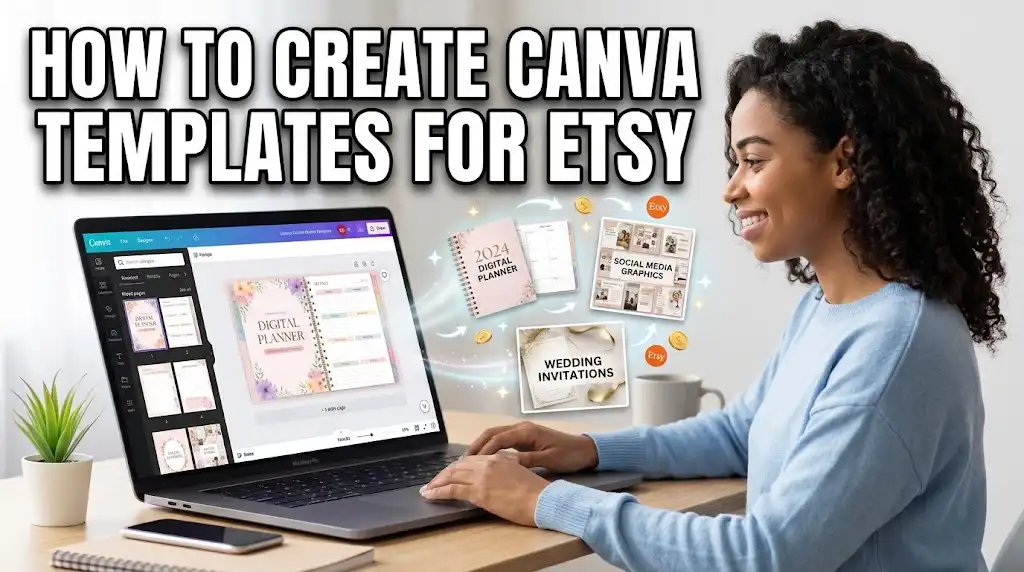
How to Create Canva Templates to Sell on Etsy (2026 Beginner's Guide)
Selling Canva templates on Etsy is one of the most accessible ways to make passive income online. You design once, list it, and sell it unlimited times—no inventory, no shipping, and no customer service headaches. Canva's user-friendly interface means you don't need graphic design experience to create beautiful, professional templates that buyers love. In this guide, we'll walk you through how to create Canva templates to sell on Etsy from start to finish: choosing a profitable niche, designing templates that stand out, setting up your Etsy listing, and pricing for profit. Whether you're a stay-at-home parent, a student, or someone looking for a side hustle, this guide gives you a clear roadmap.
Why Canva Templates Sell So Well on Etsy
Canva templates are popular because they offer buyers the best of both worlds: professional design without the learning curve. Here's why they're a hot product:
- Low barrier to entry for buyers: Anyone with a free Canva account can edit templates easily.
- Massive demand: Small business owners, influencers, students, and event planners all need design templates.
- Scalable income: One template can generate hundreds of sales over time.
- No physical inventory: Digital products have zero production cost and instant delivery.
- Evergreen niche: People will always need planners, invitations, social media graphics, and business documents.
What Makes a Great Canva Template to Sell?
Before you start designing, understand what separates a best-selling template from one that flops:
- Specific niche: "Wedding invitation" is generic. "Boho wedding invitation for beach elopements" is specific and sells better.
- Complete set: Buyers love getting multiple sizes or variations in one purchase (e.g., 10 Instagram post templates for coaches).
- Editable and customizable: The template should be easy for buyers to change colors, fonts, and text.
- Visually cohesive: All pages in a set should share a consistent color palette and style.
- High-quality design: Clean alignment, good typography, and appropriate spacing.
- Clear instructions: Include a simple PDF guide explaining how to access and edit the template.
Step-by-Step: How to Create Canva Templates to Sell on Etsy
Step 1: Choose a Profitable Niche
Your niche determines your success. Use Etsy's search bar to research what's selling. Type in broad categories like "planner," "invitation," or "social media template" and look at autocomplete suggestions. Check bestsellers and read reviews to find gaps. Some high-demand niches in 2026 include:
- Real estate agents (listing presentations, open house flyers)
- Small business social media kits
- Wedding suites (save-the-dates, menus, seating charts)
- Digital planners (ADHD, fitness, financial)
- Church or non-profit event flyers
- Teachers (lesson planners, classroom newsletters)
- Podcasters (media kits, episode planners)
Pro tip: Choose a niche you understand. Your product will feel more authentic, and you'll know what buyers actually need.
Step 2: Set Up Your Canva Account
You can use a free Canva account to start, but Canva Pro is highly recommended for sellers. Pro gives you access to premium templates, fonts, background remover, brand kits, and the ability to resize designs with one click. It's typically $12.99/month and pays for itself if you sell even one or two templates. Canva Pro also lets you organize designs into folders and use premium elements that make your templates look professional.
Step 3: Design Your Template Set
Start with a single template, then expand to a set. Follow these design principles:
- Use consistent branding: Pick 3-5 colors and 2-3 fonts that work together.
- Leave space for customization: Avoid overfilling pages; buyers need room to add their own text.
- Create multiple pages: For planners, include daily, weekly, and monthly pages. For social media, create 10-15 matching posts.
- Use placeholders: Add sample text like "Your Name Here" or "Edit This Section" so buyers know what to change.
- Include multiple sizes: For invitations, include 5x7" and 4x6". For social media, include both square (1080x1080) and story (1080x1920).
Don't aim for perfection on your first try. Create a simple product, list it, and improve based on feedback.
Step 4: Create a Share Link (Not Just a PDF)
This is the most important technical step. Instead of selling a static PDF, sell a Canva template link that buyers can open and edit directly in Canva. Here's how:
- Open your design in Canva.
- Click the Share button (top right).
- Under "Share with people," set access to "Anyone with the link" and permission to "Can edit" or "Can view and edit".
- Copy the share link.
This link is what you'll deliver to buyers. They open it, Canva prompts them to "Make a copy," and they can edit without affecting your original. Always test the link yourself in an incognito browser to make sure it works.
Step 5: Create a Deliverable PDF with Instructions
Etsy requires you to upload a file for delivery. Create a simple PDF that contains:
- The Canva template link(s).
- Clear instructions on how to open, copy, and edit the template.
- A thank-you note and your shop name.
- Optional: troubleshooting tips (e.g., "If the link doesn't open, try a different browser").
You can create this PDF in Canva, Google Docs, or any word processor. Save it with a clear filename like "Access-Your-Templates.pdf."
Step 6: Create Your Etsy Listing
Go to your Etsy shop and create a new digital listing. Key steps:
- Title: Use all 140 characters. Include the main keyword and modifiers. Example: "Canva Wedding Invitation Template | Boho Beach Elopement | Editable 5x7 | Instant Download."
- Tags: Use all 13 tags with relevant keywords (e.g., "canva template," "boho wedding invite," "editable invitation," "instant download").
- Description: Write a clear, benefit-driven description. Include what's included, file formats, and how the buyer receives the template.
- Category: Select "Digital Downloads" or "Craft Supplies & Tools > Digital."
- Price: Start competitive. Most Canva templates sell between $3-$15 depending on complexity and niche.
- Upload the PDF deliverable: Etsy allows you to upload the PDF file directly.
- Images: Use Canva to create attractive mockup images showing your template in use. Etsy requires at least one listing image, but 5-7 is better.
Step 7: Optimize and Promote
Once your listing is live, don't just wait. Optimize and promote:
- Use social media to showcase your templates on Pinterest and Instagram.
- Offer a freebie to build an email list and then market future templates.
- Add more products to your shop—shops with 20+ listings get more visibility.
- Encourage reviews by following up with buyers politely.
- Track which listings get the most views and double down on that style.
Pricing Your Canva Templates
Pricing is a balance between perceived value and competitiveness. Here's a general guide:
- Simple single-page templates: $3-$5
- Multi-page sets (planners, social media kits): $8-$15
- Complete branded business bundles: $20-$50
- Wedding suites: $15-$35
Start lower to get early sales and reviews, then raise prices as your shop gains traction. Don't undervalue your work—buyers often associate higher prices with higher quality.
Real-World Example: A Stay-at-Home Mom Builds a Passive Income Stream
Fatima, a stay-at-home mother of two in Dubai, started selling Canva templates on Etsy in 2024. She began with a 10-page "Daily Routine Planner for Moms" set priced at $7. Her first month, she sold 3 items. After six months, she had 40 products in her shop covering planners, meal prep guides, and kids' chore charts. By month eight, she was consistently earning $800-$1,200 per month. Her advice: "Don't overthink your first product. Just get it listed and learn from the feedback. Also, use Pinterest—it's free and drives most of my traffic."
Expert Tips for Selling Canva Templates on Etsy
- Use Canva Pro's Magic Resize to create multiple sizes from one design in seconds.
- Create cohesive brand kits that include matching logos, color palettes, and fonts—buyers love complete packages.
- Include a "Thank You" page in your template with your shop name and a prompt to leave a review.
- Check your links regularly to make sure they still work after Canva updates.
- Stay updated on Canva's commercial use policies to avoid copyright issues with stock elements.
- Batch create templates when you're in a creative mood, then list them over several weeks to keep your shop active.
Frequently Asked Questions
Can I sell Canva templates on Etsy legally?
Yes, absolutely. Canva allows you to sell templates created on their platform as long as you follow their commercial use guidelines. You cannot sell Canva's pre-made templates as-is, but your original designs using Canva elements are yours to sell. Always check Canva's current terms if using premium elements.
Do I need Canva Pro to sell templates?
No, you can create and sell with a free Canva account. However, Canva Pro is strongly recommended because it gives you access to more fonts, elements, and the Magic Resize tool, which makes your templates look more professional and saves time.
How do buyers edit Canva templates?
When you share a Canva link with "Anyone with the link can edit" enabled, the buyer opens the link and Canva prompts them to make a copy. They can then edit text, colors, images, and any other elements using their free Canva account. It's very user-friendly.
How many templates should I create before launching my shop?
You can start with 5-10 products to give your shop a cohesive look. More products increase your chances of being found. Many successful sellers recommend having at least 15-20 listings before actively promoting your shop.
How much can I realistically earn selling Canva templates on Etsy?
This varies widely. Some sellers make $50/month, others make $5,000+. The average successful part-time seller earns $500-$2,000/month after 6-12 months of consistent work. The key factors are niche selection, number of products, and SEO optimization.
Conclusion: Start Designing and Selling Today
Creating Canva templates to sell on Etsy is one of the most beginner-friendly ways to build passive income. You don't need a design degree, and you don't need to invest in inventory. Start with one simple, specific template in a niche you understand, set up your Etsy listing with strong SEO, and learn from the feedback. With consistency and patience, you'll build a digital product shop that generates income month after month. Your first template is the hardest—so start designing today.
Discussion (0)
No comments yet. Be the first to share your thoughts!