
Why Does AI Change Faces in Images? – Complete Guide (2026)
🚀 Edit faces with AI for free using SmartPDFNow! No sign-up, instant results, privacy protected.
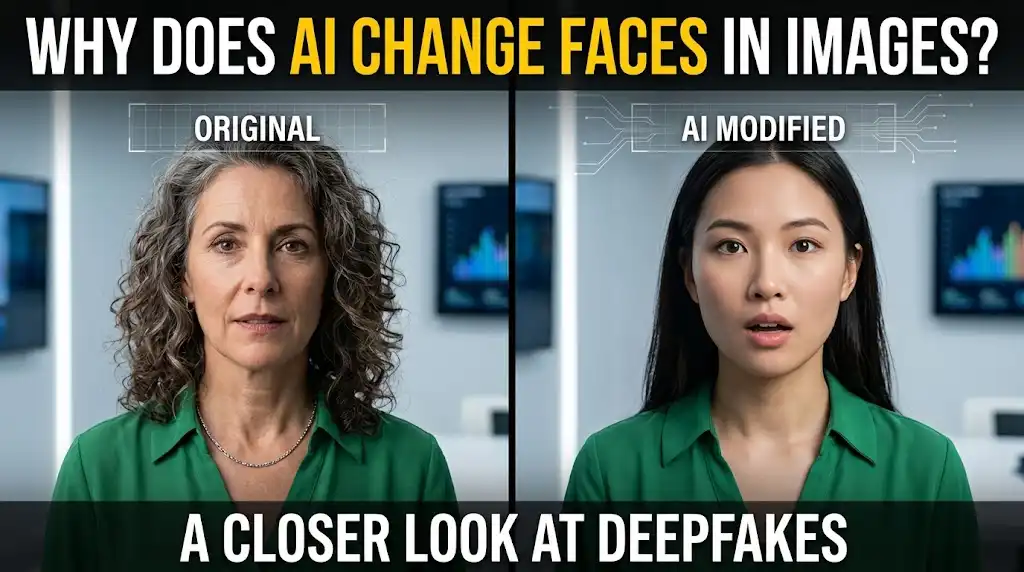
You've probably seen photos where someone's face has been swapped, altered, or completely replaced by AI. Maybe it's a fun meme, a deepfake video, or a privacy-protection tool that blurs or replaces faces. But why does AI change faces in images? The answer is multifaceted—ranging from creative expression and entertainment to privacy protection, identity concealment, and unfortunately, misinformation. In this guide, we'll explore the technology behind AI face modification, the legitimate and questionable reasons people use it, and how you can use AI face-changing tools safely and ethically.
The Technology Behind AI Face Changing
AI face modification relies on advanced machine learning models, particularly Generative Adversarial Networks (GANs), diffusion models, and autoencoders. These systems are trained on massive datasets of faces to learn how to generate, swap, or edit facial features. Common techniques include:
- Face swapping: Replacing one person's face with another's in an image or video (e.g., DeepFaceLab, SwapFace).
- Deepfakes: Using deep learning to create convincing synthetic faces or manipulate expressions and speech.
- Face anonymization: Blurring, pixelating, or replacing faces to protect privacy.
- Facial attribute editing: Changing hair color, age, facial hair, makeup, or expressions.
- Face restoration/enhancement: Improving old or low-quality faces, or reconstructing missing parts.
These tools can be found in desktop software, mobile apps, and online platforms like SmartPDFNow's AI face editor.
Legitimate Reasons Why AI Changes Faces
1. Privacy Protection and Anonymization
Journalists, human rights organizations, and individuals often need to hide someone's identity in photos or videos. AI can automatically detect and blur faces, or replace them with synthetic ones that preserve the overall context without revealing the person. This is crucial for whistleblowers, witnesses, and anyone in sensitive situations.
2. Creative Expression and Entertainment
Face swapping is hugely popular on social media for fun. Apps like Reface and Snapchat filters let users swap faces with celebrities, animals, or characters. Artists use AI to create surreal portraits or reimagine historical figures. It's a form of digital play and creativity.
3. Film and Media Production
In movies, AI is used for de-aging actors, resurrecting deceased performers, or creating digital stunt doubles. This saves time and money compared to traditional CGI. For example, deepfake technology was used to de-age actors in "The Irishman" and to recreate younger versions of characters in franchises.
4. Identity Protection in Surveillance Footage
When sharing surveillance videos or dashcam footage publicly, AI can automatically obscure the faces of innocent bystanders. This maintains privacy while still showing the event. Many CCTV systems now include AI-powered face blurring by default.
5. Personal Security and Anti-Doxxing
Some people use AI to replace their own faces in profile pictures or online avatars to avoid facial recognition systems and prevent doxxing. This is especially relevant for activists, journalists, or individuals in oppressive regimes.
Controversial and Unethical Uses
Unfortunately, the same technology can be misused:
- Deepfake pornography: Non-consensual face swapping in explicit content is a serious crime in many jurisdictions.
- Misinformation and fraud: Creating fake videos of politicians or business leaders to spread false information or manipulate markets.
- Identity theft: Using someone's face to bypass facial recognition or create fake accounts.
- Harassment and defamation: Altering images to embarrass or harm someone's reputation.
These uses are harmful and often illegal. Ethical AI tools include safeguards like watermarks, consent verification, and usage policies.
How to Change Faces with AI Safely and Ethically
If you want to use AI face modification for legitimate purposes, follow these best practices:
Use platforms that prioritize privacy and ethical guidelines. For quick, free face editing, try SmartPDFNow's AI face tool. It requires no sign-up and processes images securely.
For best results, use a well-lit, front-facing photo. The AI needs to detect facial landmarks accurately. Avoid heavy obstructions like sunglasses or masks.
Choose from options like blur, swap, age change, or expression change. For privacy, blurring or pixelating is recommended.
Process the image and download the result. Always check that the modification looks natural and meets your purpose.
Never use someone's face without permission, especially for commercial or harmful purposes. Be aware of local laws regarding deepfakes and privacy.
Real-World Example: A Journalist Protects a Source
Amira, an investigative journalist in a conflict zone, captured photos of a protest where several sources were visible. To publish the story without endangering the individuals, she used an AI face anonymization tool to automatically blur all faces in the images. The tool detected each face and applied a subtle pixelation that preserved the scene's context while hiding identities. Amira said, "AI face blurring saved lives. It was fast, accurate, and allowed us to tell the story without revealing anyone." This is a powerful example of AI being used for good.
Ethical Considerations and Future Outlook
As AI face-changing technology becomes more sophisticated, the line between real and synthetic blurs. Governments and tech companies are working on detection tools (like deepfake detectors) and regulations. For individuals, the golden rule is: use AI responsibly, with consent, and for legitimate purposes. The technology itself is neutral—it's how we use it that matters.
Frequently Asked Questions
Is it legal to change someone's face with AI?
It depends on jurisdiction and intent. Using someone's likeness without consent for commercial gain, defamation, or pornography is illegal in most countries. For personal entertainment or privacy protection with consent, it's generally legal. Always check local laws.
Can AI face editing be detected?
Yes, deepfake detection tools are improving. They look for subtle artifacts like inconsistent lighting, unnatural eye movements, or weird edges. However, as AI gets better, detection becomes harder. Watermarking and provenance tracking are also being developed.
What is the best free AI face changer?
There are many free options, including SmartPDFNow's AI face editor, which is completely free, no sign-up, and privacy-focused. Other popular tools include Reface (mobile), Artbreeder, and FaceApp (with limitations).
How does AI blur faces automatically?
AI face detection models (like MediaPipe or OpenCV's Haar cascades) locate faces in an image, then apply a blur or pixelation effect to the detected region. Some tools use more advanced segmentation for natural results.
Can AI change faces in videos as well as images?
Yes, the technology works on both. Video face swapping is more complex due to motion and lighting consistency, but tools like DeepFaceLive and FaceSwap can do it in real time. The same ethical considerations apply.
Conclusion: Use AI Face Changing Responsibly
AI changes faces in images for many reasons—privacy, creativity, entertainment, and protection. While the technology is powerful, it carries significant ethical weight. By understanding how it works and using reputable tools like SmartPDFNow, you can leverage AI face editing safely and responsibly. The future of AI faces is both exciting and challenging, and it's up to all of us to use it for good.
Edit Faces with AI for Free
Try SmartPDFNow's AI face tool — no sign-up, instant, secure.
Use AI Face Editor Now
Discussion (0)
No comments yet. Be the first to share your thoughts!